White-labeling & Branding
Vendasta's White-labeled Platform
Vendasta is a white-label ready platform. There must not be any mention of ‘Vendasta’ in your content. You may want to keep the term 'Vendasta' out of your codebase entirely; but if not, aim to avoid mention of Vendasta on anything client-facing - including:
- ALL Product Pages & marketing material
- UI (including dashboard URLs)
- Cookies
- Client side redirects
- Error messages
Product Branding
We don't require that your products support white-labeling, however, many Vendasta Resellers will take more interest in selling your offerings if they can brand them as their own. If you support branding your dashboard in any way, this guide will go over how you can add support for this to your product, as well as the different types of branding there are. Only one of the following options should be utilized per sku:
Option 1 - Partner Market Branding
You are able to brand your dashboard with the custom logos, colours, and names that the Resellers supply for each of their Markets.
The Account API Get Account Settings endpoint provides you with:
- Account Market Name
- Account Market Logo URL
- Account Market Primary Colour(hex)
platform_settings fields returned by the Account Settings endpoint have their keys prepended by partner. Don't be confused by this labeling, these values are Market specific!
Most Resellers only have a single Market of key default. But to support branding for all Resellers you must either store branding information at the Account, or the Market level. You will receive both the partner_id and the market_id in the provisioning webhook, and they are also returned by the Account GET endpoints.
Option 2 - Product Branding Override(Beta)
Rather than have their general branding apply to Vendor products Partners may choose to specify custom branding information for each product that supports Product Branding. Partners may apply these customizations for all Markets, or on a per Market basis.
This includes:
- Product Name
- Product Logo
Configuration
Vendor Configuration: While this feature is in Beta, please contact Vendasta to enable this for your sku.
Reseller Configuration:
Left Navigation--> Marketplace --> Products --> Select Product --> Product Info Tab
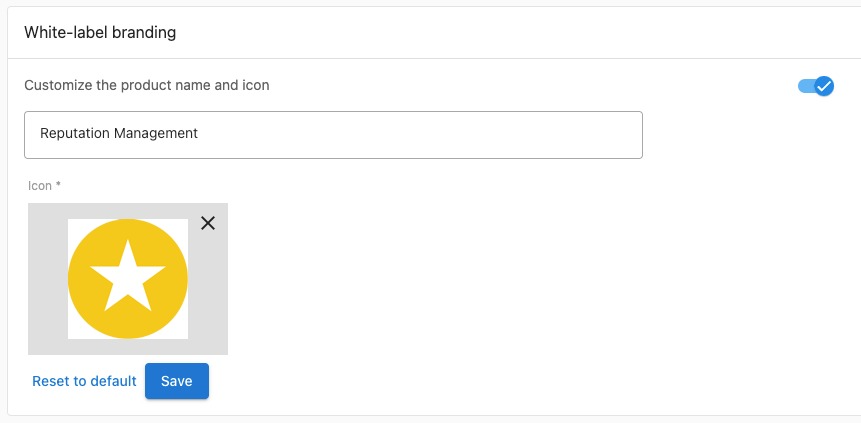
While in beta, please be aware that there are no Vendor APIs, or Webhooks for this data. It lives only in the Vendasta ecosystem at this time. Thus this feature should only be enabled for your product if your dashboard is grey-labelled, and has no branding in it. Don't use Product Branding in addition to Partner Branding. Choose one or the other to implement.